Setting up a custom Return-Path is recommended when sending emails through SparkPost. It allows bounce and delivery-related messages to use a domain associated with your business instead of a shared or default return-path domain.
This helps keep your email authentication and domain configuration aligned, while also improving visibility into bounced messages and supporting better deliverability monitoring.
Opening the Return-Path settings
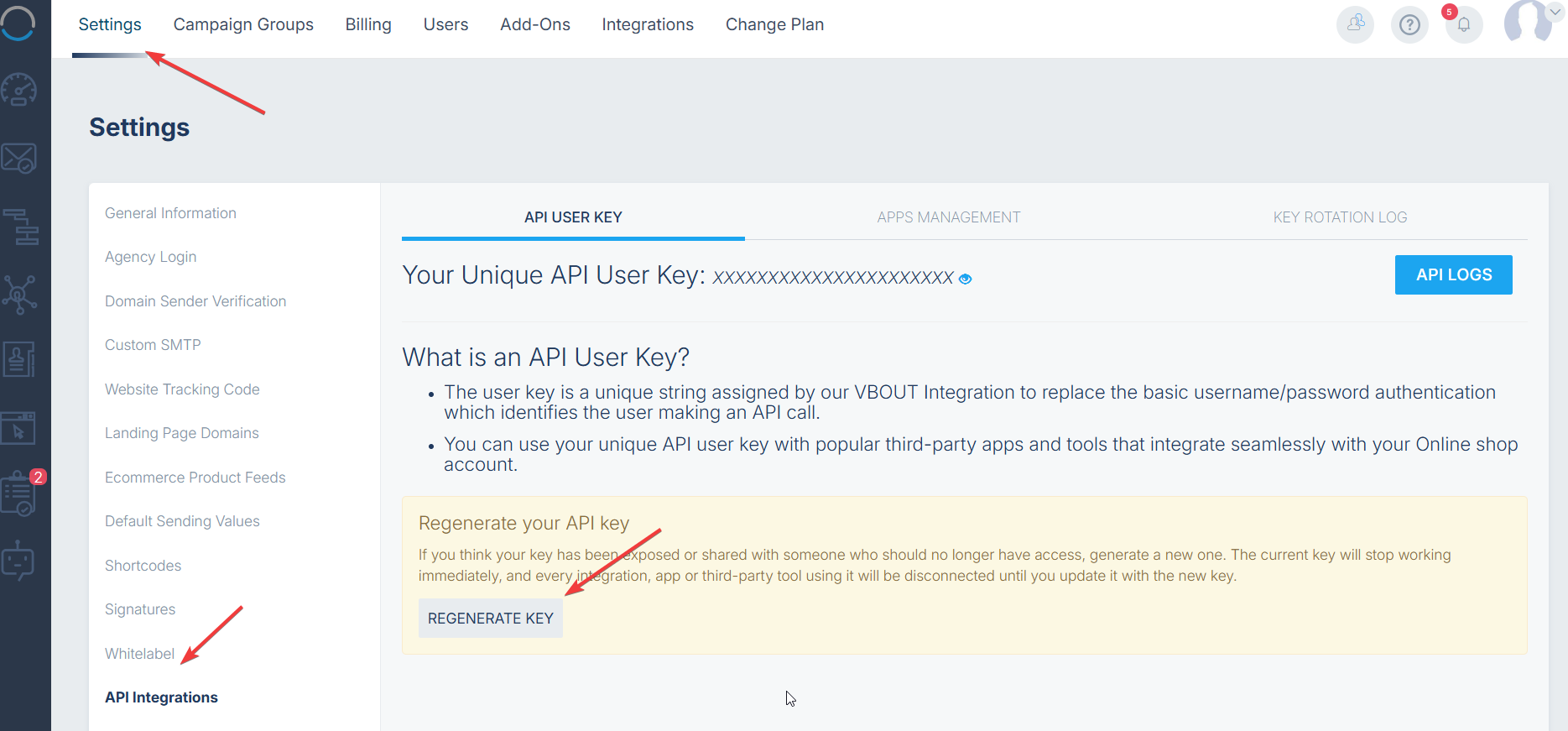
• Click on your profile icon in the top-right corner and select Settings.
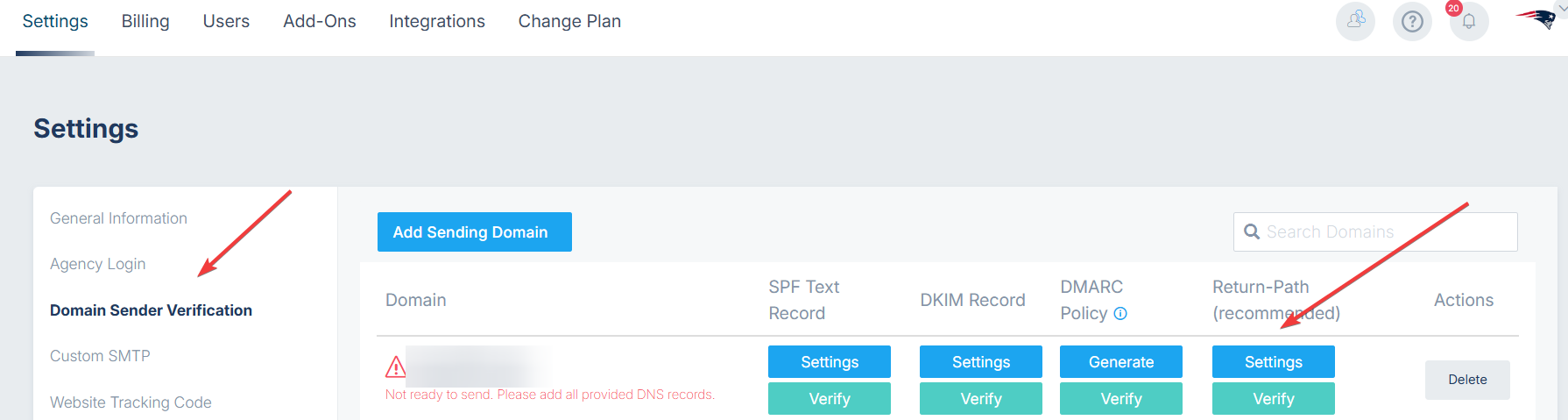
• Open the Domain Sender Verification tab.
• Locate the sending domain you want to configure and open its Return-Path settings.
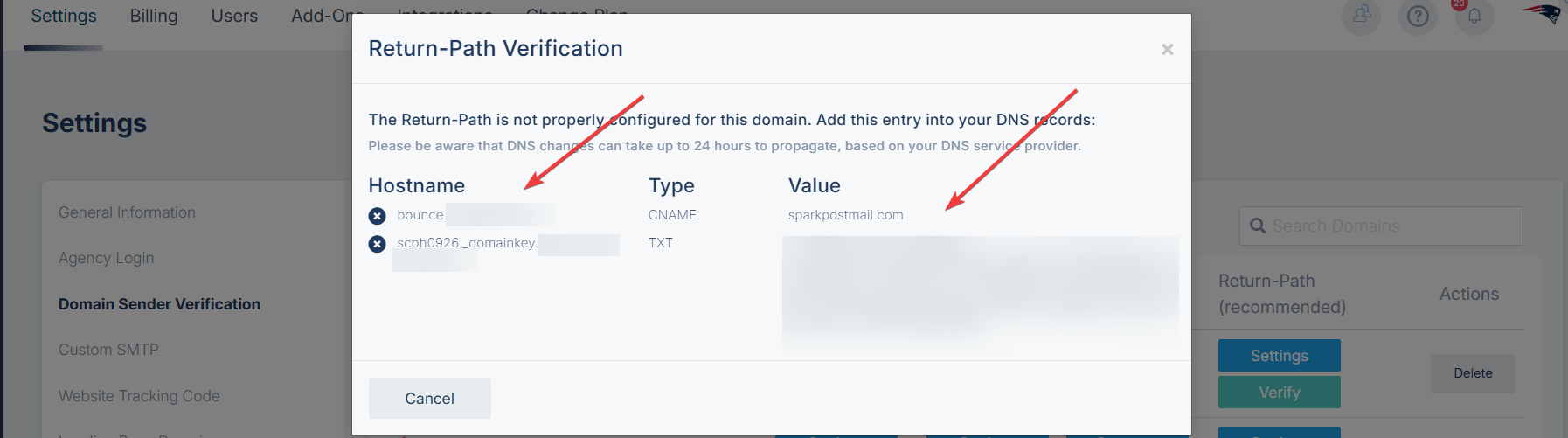
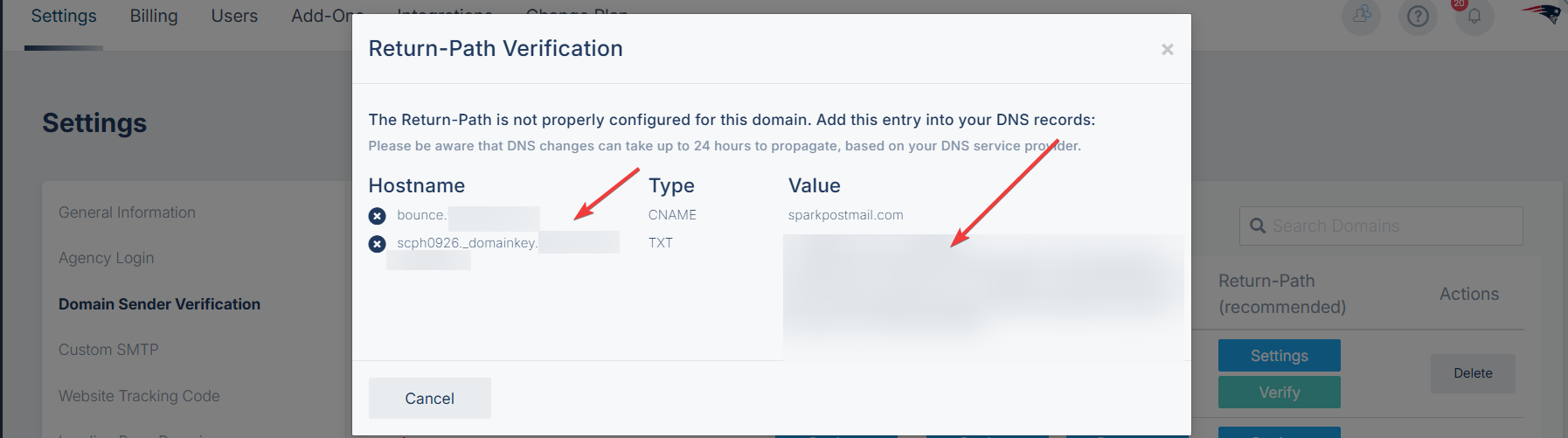
• Copy the DNS values displayed in VBOUT. The CNAME and DKIM selector are generated for your domain, so make sure you use the exact values shown in your account.
Adding the CNAME record
• Sign in to your DNS provider and create a new DNS record.
• For Hostname, enter the Return-Path hostname displayed in VBOUT.
• For Type, select CNAME.
• For Value or Target, enter sparkpostmail.com.
• Save the DNS record.
Adding the DKIM record
• Create a new TXT record in your DNS provider.
• For Hostname, enter the DKIM hostname displayed in VBOUT. It will usually follow this format:
<selector>._domainkey.<return-path-domain>
• For Type, select TXT.
• For Value, copy the complete DKIM value displayed in VBOUT. The value begins with:
v=DKIM1; k=rsa; h=sha256; p=
• Save the DNS record.
Verifying the Return-Path
• Return to the Return-Path settings in VBOUT.
• Click on Verify or Test.
• Confirm that both the CNAME and DKIM records are shown as valid.
DNS changes can take a few minutes to propagate. Depending on your DNS provider, they may take up to 24 hours.
If verification does not succeed immediately, wait for the DNS changes to propagate and try again. Make sure the records were entered exactly as displayed in VBOUT and that your DNS provider did not add duplicate domain suffixes or extra quotation marks.
Once both records are verified, VBOUT can use the configured Return-Path for your sending domain. This setup is recommended because it provides a more consistent branded sending configuration, keeps bounce handling associated with your domain, and improves visibility into bounced messages.